Assigning a business associate
During the process of Adding a contract, you can assign a business associate to the contract.
To assign a business associate from the Create contract and link to seismic window:
-
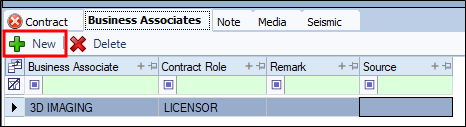
Click the Business Associates tab.
-
Click New.
-
In the Business Associate column, select the business associate from the drop-down.
-
From the drop-select the Contract Role.
-
Enter a Remark and Source.
-
Continue to another tab.