Select Version of EA Desktop:
The general workflows for organizing and maintaining seismic data in Exploration ArchivesExploration Archives varies across users. The order of the general workflows, and the steps in each workflow do not have to be completed exactly as presented. However, the activities are listed in a logical sequence.
As you work through the steps, you will discover that you have to complete some of the tasks before beginning others. For example, you must first add a seismic survey before you can link any navigation to it, and you must add the products before making them available for ordering.
General workflows include (Click to expand a topic):
 1. Adding new seismic survey data
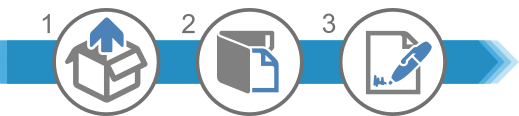
- Acquire new data.
- In the Seismic module of Exploration Archives Desktop, add a new seismic record and enter the associated details.
- Add and link the contract to the seismic record, if applicable.
2. Adding seismic survey navigation

- Receive seismic survey navigation.
- Perform quality control on the navigation according to your company procedures.
- Add the seismic navigation to the seismic record in Exploration Archives.
- Verify that the location is mapped correctly.
3. Adding seismic survey products

- Create a catalog session in the New Item Catalog module.
- Add files and media to the catalog session.
- Link the files to the media and link the files to the seismic.
- Perform quality control activities according to your company procedures.
- Move the files to production.
4. Ordering products
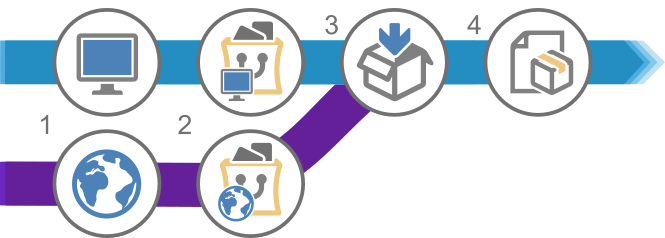
- Depending on your role and access to Exploration Archives:
- Use Exploration ArchivesDesktop to create a data request
- Use Exploration ArchivesBrowser to create a data request
- Continue creating the request:
- Use Exploration ArchivesDesktop to add products
- Use Exploration ArchivesBrowser to add products
- Using Exploration Archives Desktop, review the data request and execute the order. Package the products and send for delivery.
- Monitor the delivery of the products.
The general workflows for organizing and maintaining seismic data in Exploration Archives varies across users. The order of the general workflows, and the steps in each workflow do not have to be completed exactly as presented. However, the activities are listed in a logical sequence.
As you work through the steps, you will discover that you have to complete some of the tasks before beginning others. For example, you must first add a seismic survey before you can link any navigation to it, and you must add the products before making them available for ordering.
General workflows include:
1. Adding new seismic survey data
- Acquire new data.
- In the Seismic module of Exploration Archives Desktop, add a new seismic record and enter the associated details.
- Add and link the contract to the seismic record, if applicable.
2. Adding seismic survey navigation
- Receive seismic survey navigation.
- Perform quality control on the navigation according to your company procedures.
- Add the seismic navigation to the seismic record in Exploration Archives.
- Verify that the location is mapped correctly.
3. Adding seismic survey products
- Create a catalog session in the New Item Catalog module.
- Add files and media to the catalog session.
- Link the files to the media and link the files to the seismic.
- Perform quality control activities according to your company procedures.
- Move the files to production.
4. Ordering products
- Depending on your role and access to Exploration Archives:
- Use Exploration Archives Desktop to create a data request
- Use Exploration Archives Browser to create a data request
- Continue creating the request:
- Use Exploration Archives Desktop to add products
- Use Exploration Archives Browser to add products
- Using Exploration Archives Desktop, review the data request and execute the order. Package the products and send for delivery.
- Monitor the delivery of the products.