Select Browser Version:
When using the right and bottom map layout the search results are displayed a little differently on the results grid.
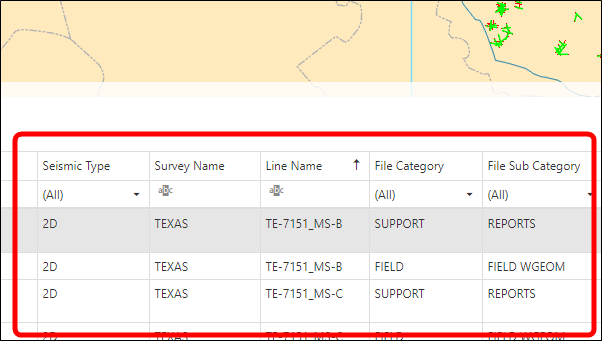
Actions you can perform with the search results grid:
-
You can rearrange the columns displayed on the grid by clicking on a column heading and dragging it to the left or right.
-
To display the search results in ascending or descending order click a column heading.
-
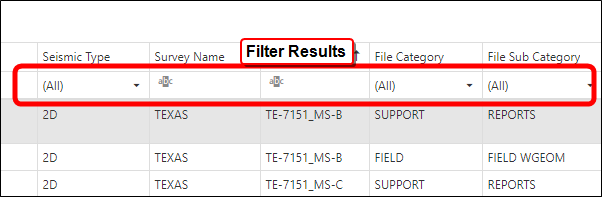
Under the column heading there is a filter. You can filter the search results by either typing your criteria or selecting from a drop-down menu.
It’s also possible to select which columns are displayed on the grid:
-
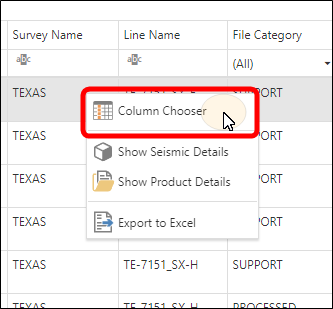
With the mouse pointer on the grid, right-click to bring up the context menu.
-
Select Column Chooser.
-
In the window that opens, check or clear the boxes for the columns you want to have appear on the grid.
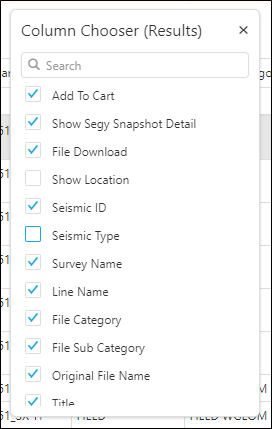
The grid will update automatically as boxes are checked or cleared.