Select Version of EA Desktop:
The grids have pivot table functionality for grouping data.
To create groups of data:
-
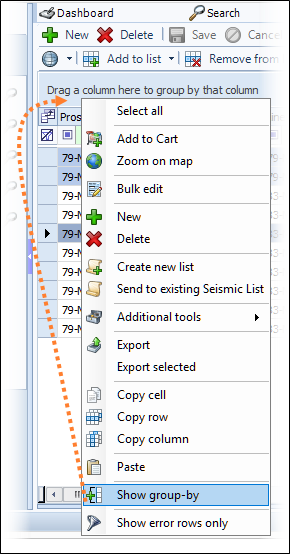
Right-click anywhere in the grid to open the context menu.
-
Select Show Group By. The grouping space opens above the grid.
-
To create a group, click and drag a column header from the grid to the grouping space.
-
Drag additional columns to add more layers to the data grouping.
To remove all groupings, right-click on the grid and select
Hide Group-By in the context menu. The column headers move back to their original locations in the grid.
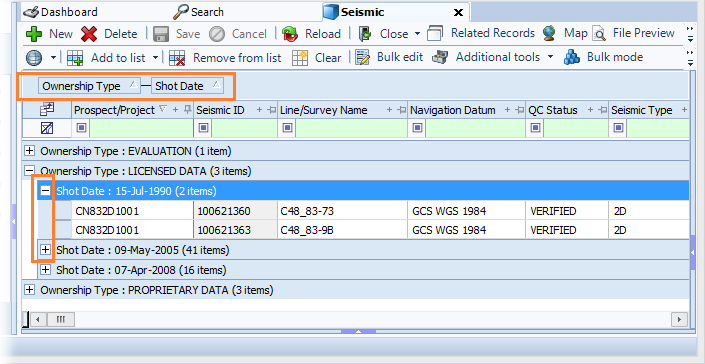
The data has two levels of grouping. The levels are listed above the grid. The first level sorts the data into the Ownership Type and the second level sorts by Shot Date.
Click the plus  or minus
  button in a group row to expand and collapse the view.