Select Version of EA Desktop:
To move a column:
-
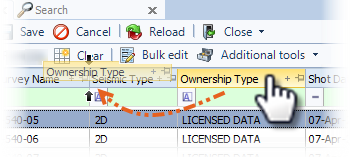
Click and drag a column to a new location on the grid.
-
Release the column when a pair of arrows display to indicate the placement location.
To adjust the column width:
-
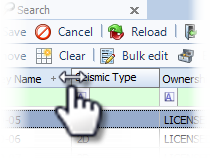
In the header row, hover over the right-hand edge of the column until a double-sided arrow displays.
-
Click and drag to adjust the column width.
To pin a column to the left:
-
In the header row, click the pin button to lock the column to the left side of the grid.
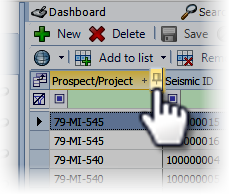
Repeat to pin multiple columns to the left.
The column(s) remains in place when scrolling horizontally.
-
Click the pin again to unpin.
To sort ascending or descending:
-
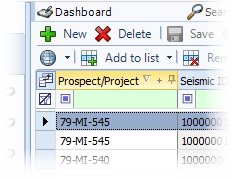
Click the column header to activate the ascending and descending sort option.
-
Click the arrow to toggle between ascending and descending.