Select Version of EA Desktop:
The Smart Parse window now includes columns for Machine Learning or AI
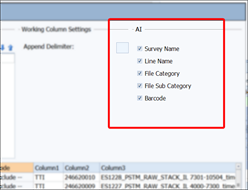
A bridge connection is required for both the ML prediction and extracted data results.
The ML columns are split into two different types:
ML columns
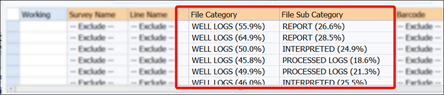
The following ML columns use machine learning (ML) prediction results.
-
File Category
-
File Sub-Category
The results for these columns can be identified with the percentage (%) suffix in the cell and are sorted in ascending order.
 MadCap:conditions="Housekeeping.ExcludeForChatbot"
-
If the prediction is high enough then the highest value will be pre-selected.
-
If no value is shown in the drop-down it will default to exclude value (also used in bulk edit).
-
Any low percentage values can be filtered out of the drop-down completely for optimization and to remove clutter.
If any of the ML modules are missing (ie. they weren't generated) the corresponding column is automatically hidden from the Smart Parse UI.
Extracted Data
The extracted data columns use a data cache to retrieve prediction results.
-
Seismic Line Name
-
Seismic Survey Name
-
Media Barcode
The results for these columns are identified with the (exact match, good match) suffix in the cell and are sorted ascending based on the best match.

The results are queried from existing data in the database and checked to find a match.
-
Exact Match: these results should be a full match.
-
Good Match: these results will be a partial match.
-
Poor Match: these results will not show currently as they are essentially anything that doesn’t match.
The column header captions (and the column checkbox tooltips) will be labeled from the configuration.