Select Version of EA Desktop:
-
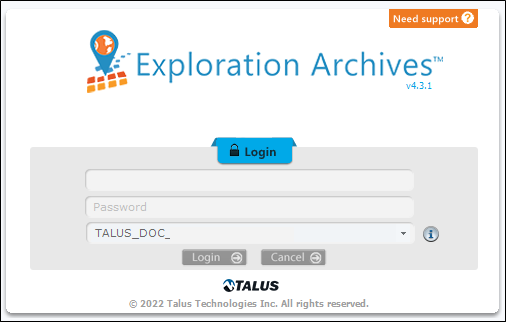
Double-click the Exploration Archives icon on your desktop. If prompted for log in credentials, enter your user name and password.
Note:If your system uses Windows® Active Directory®, you will not be prompted for a user name or password.
-
If needed, select the database connection from the drop-down list.
-
Click Login.
If you forgot your password, contact your administrator for assistance.
For an overview of the general workflows for managing your data in Exploration Archives, refer to Workflows.
-
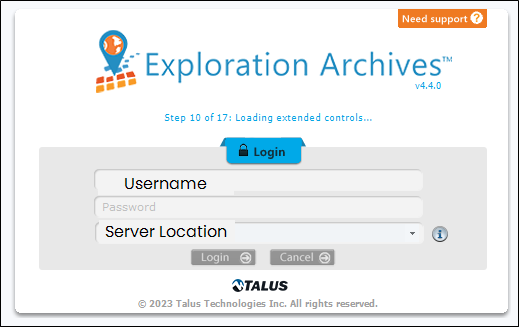
Double-click the Exploration Archives icon on your desktop. If prompted for log in credentials, enter your user name and password.
Note:If your system uses Windows® Active Directory®, you will not be prompted for a user name or password.
-
If needed, select the database connection from the drop-down list.
-
Click Login.
If you forgot your password, contact your administrator for assistance.
For an overview of the general workflows for managing your data in Exploration Archives, refer to Workflows.
-
Double-click the Exploration Archives icon on your desktop. If prompted for log in credentials, enter your user name and password.
Note:If your system uses Windows® Active Directory®, you will not be prompted for a user name or password.
-
If needed, select the database connection from the drop-down list.
-
Click Login.
If you forgot your password, contact your administrator for assistance.
For an overview of the general workflows for managing your data in Exploration Archives, refer to Workflows.
-
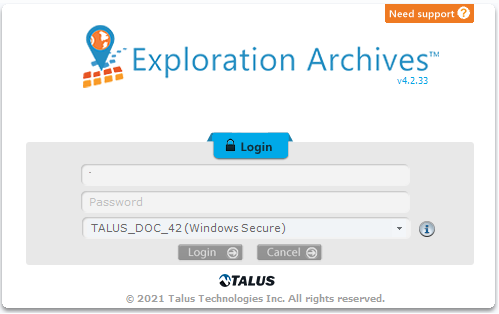
Double-click the Exploration Archives icon on your desktop. If prompted for log in credentials, enter your user name and password.
Note:If your system uses Windows® Active Directory®, you will not be prompted for a user name or password.
-
If needed, select the database connection from the drop-down list.
-
Click Login.
If you forgot your password, contact your administrator for assistance.
For an overview of the general workflows for managing your data in Exploration Archives, refer to Workflows.