Select Version of EA Desktop:
When searching for records that have been provided to you in an Excel workbook, There are 2 methods of entering data into the search window
 Paste:
You can copy values from a cell in the Excel workbook into a field in a search window.
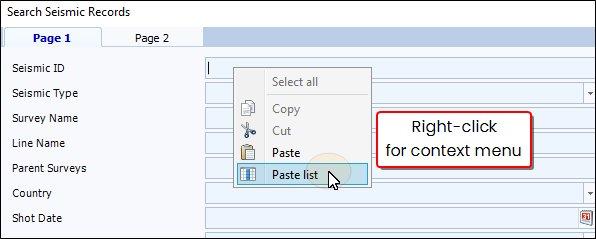
Paste List:
This allows you to select a column or a RANGE of cells from a workbook and have the cell range converted into a comma separated list in a field.
You need to search for a large number of seismic IDs you received in an Excel workbook. Copy the Seismic ID column, and use Paste List in the Seismic ID field in the search window. The values from the column will be pasted as a Comma separated list and all the values will be searched.