Select Version of EA Desktop:
Data requests can be updated or edited during the process.
To edit a Data Request:
-
Open a Data Request by using either the following methods:
-
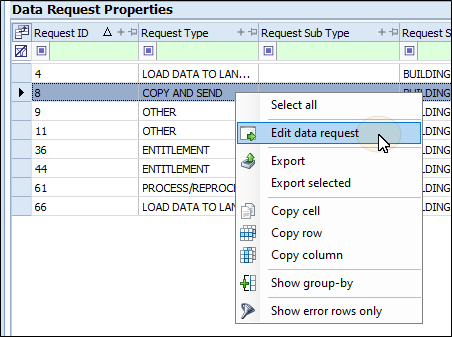
Highlight a Data request, then select edit data request from the context menu.
-
Highlight then double-click the data request to open it in a new tab.
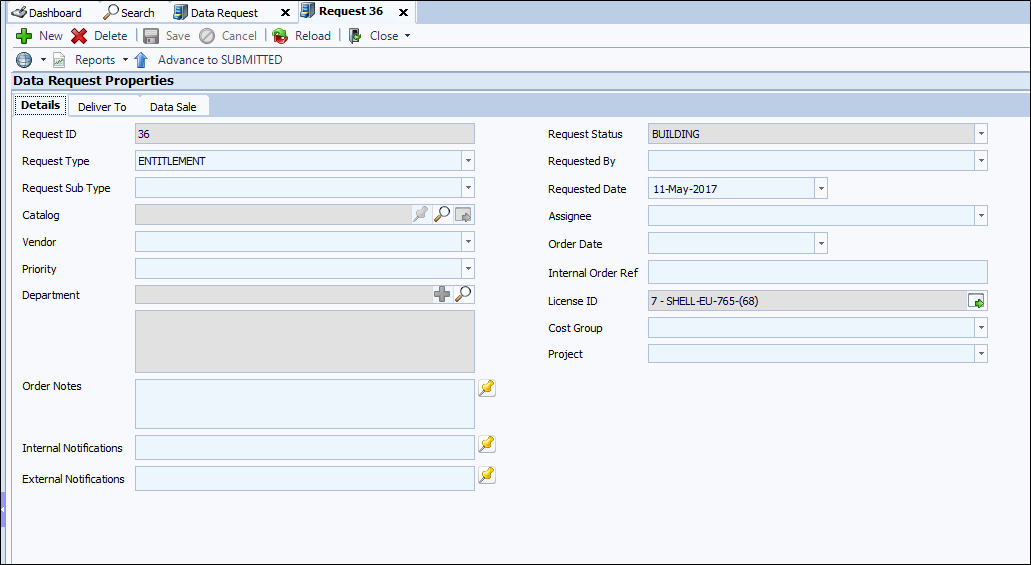
The Data request opens under a new tab.
-
-
Make your edits to the relevant fields.
-
When finished, click Save on the toolbar.
Data requests can be updated or edited during the process.
To edit a Data Request:
-
Open a Data Request by using either the following methods:
-
Highlight a Data request, then select edit data request from the context menu.
-
Highlight then double-click the data request to open it in a new tab.
The Data request opens under a new tab.
-
-
Make your edits to the relevant fields.
-
When finished, click Save on the toolbar.
Data requests can be updated or edited during the process.
To edit a Data Request:
-
Open a Data Request by using either the following methods:
-
Highlight a Data request, then select edit data request from the context menu.
The Data request opens under a new tab.
-
-
Make your edits to the relevant fields.
-
When finished, click Save on the toolbar.