Select Version of EA Desktop:
The New Media tool allows you to create new Media records and link them to existing Files.
To create new media:
-
From the toolbar, click New.
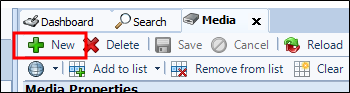
The Create Media window opens.
-
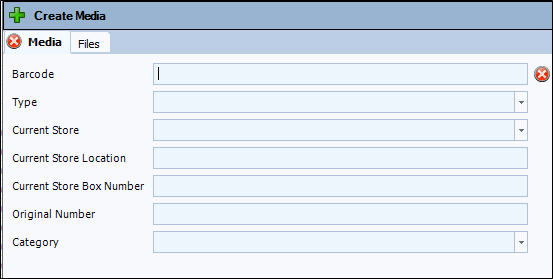
The first tab displayed when opening the New Media tool allows setting various properties for the new Media.
 Note:
Note:The only required field is Barcode, which must be unique per region.
-
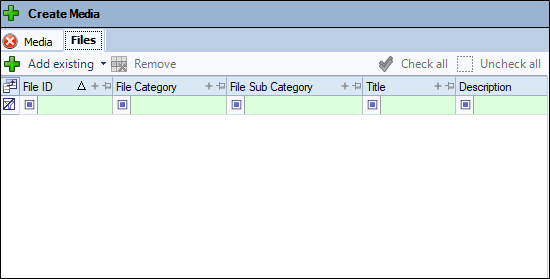
The Files tab allows the selection of existing File records to link to the Media record being created.
 Note:
Note:The File tab can only be viewed if you have the correct security access.
-
When you have created the new Media and linked files to it, click Save. The window will close and the media will be added to the grid.