Select Version of EA Desktop:
The Media module is available for you to view, edit and move data. The Media module offers several features and tools for updating the details of your file records.
To open items in the Media module:
-
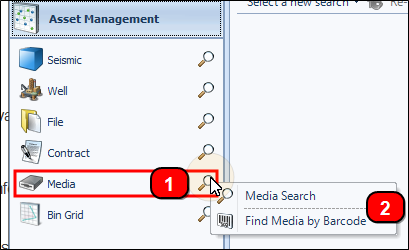
Click search next to Media in the Navigation panel.
-
Select the appropriate search type and the search window will open.
-
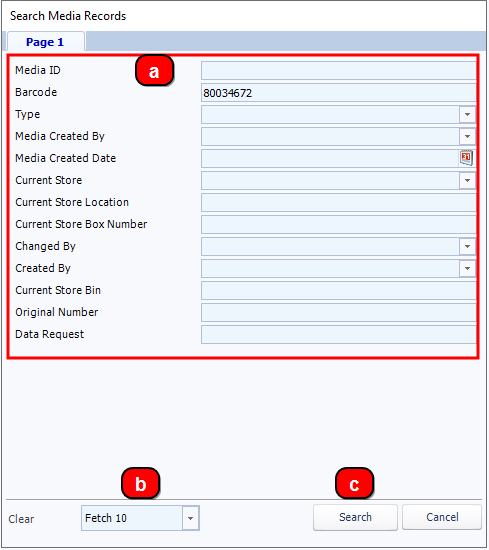
Media Search: The search window is divided into 3 areas:.
-
Enter your search filters in the fields listed.
-
Select the number of records to retrieve with the search conditions.
-
To display the search results in the Media Properties grid click Submit.
-
-
Find Media by Barcode: This selection will open a window that lets you enter barcodes to compile a list of media to add to the grid.
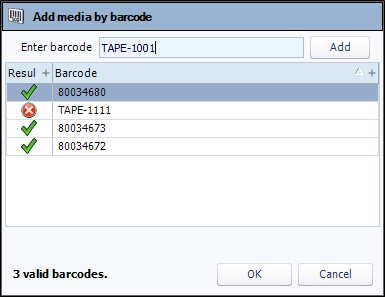
Enter the barcode in the field then click Add. The barcode will be validated and added to the list.
Click OK. The validated media will be added to the Media Properties grid.
-
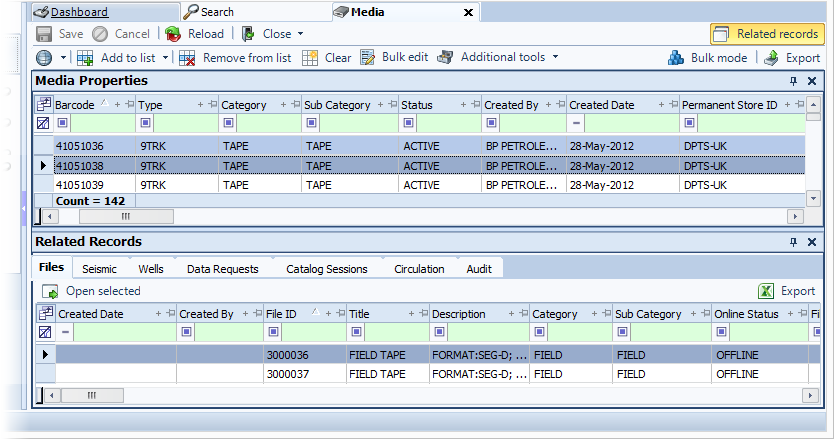
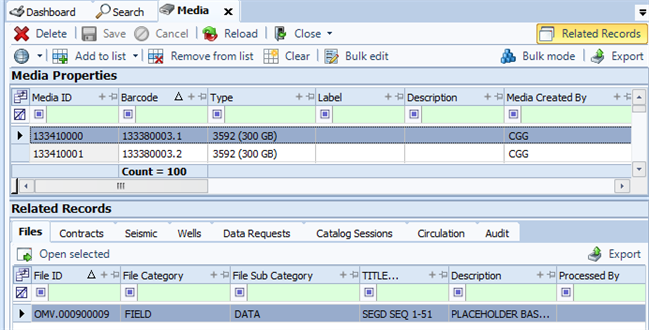
The Media Properties grid displays the information for each item.
To view the Related Records for an item, click on a row in the grid and the associated details display in the Related Records tabs.
The Media module is available for you to view, edit and move data. The Media module offers several features and tools for updating the details of your file records.
To open items in the Media module:
-
Click search next to Media in the Navigation panel.
-
Select the appropriate search type and the search window will open.
-
Media Search: The search window is divided into 3 areas:.
-
Enter your search filters in the fields listed.
-
Select the number of records to retrieve with the search conditions.
-
To display the search results in the Media Properties grid click Submit.
-
-
Find Media by Barcode: This selection will open a window that lets you enter barcodes to compile a list of media to add to the grid.
Enter the barcode in the field then click Add. The barcode will be validated and added to the list.
Click OK. The validated media will be added to the Media Properties grid.
-
The Media Properties grid displays the information for each item.
To view the Related Records for an item, click on a row in the grid and the associated details display in the Related Records tabs.