Select Version of EA Desktop:
The Contract module is available for managing, editing and viewing details of contract-related documentation.
For a fluid workflow, contracts link to the Data Request process, business associates, media, seismic and files.
To open items in the Contract module:
-
Click search next to Contract in the Navigation panel. There are 2 types of searches available:
-
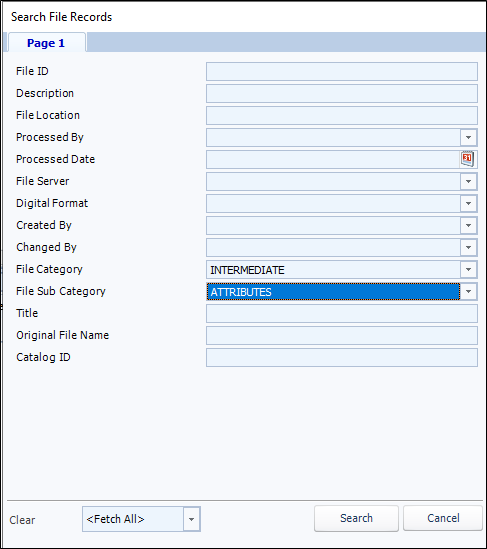
Contract Search: Allows you to configure search fields and fetch a specified number of records to add or populate the Contract Properties Grid.
-
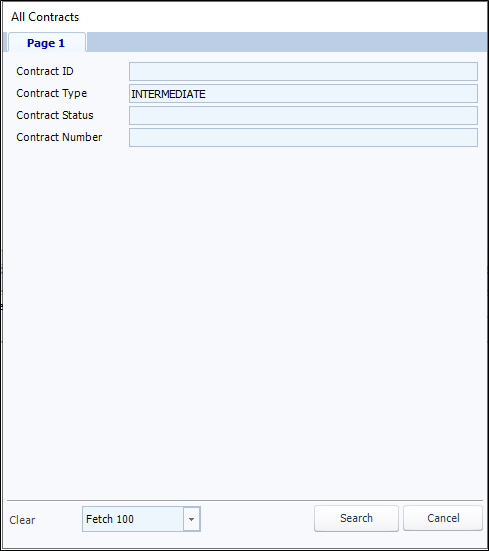
All Contracts: Lets you search by Contract ID, Contract Type, Contract Status, or Contract Number.
-
-
Enter your filter values and click Search. The results open in the Contract module.
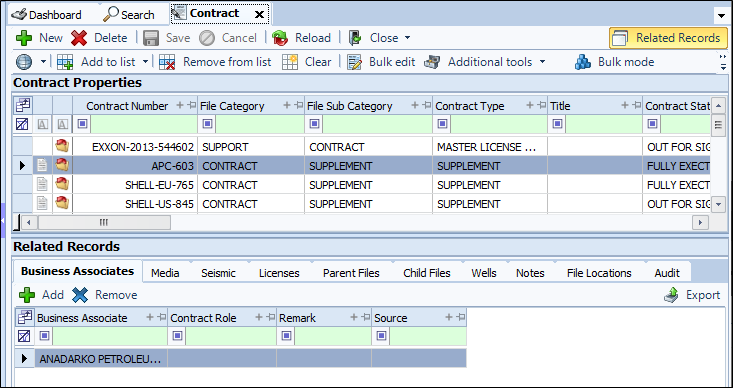
The Contract Properties grid displays the information for each item.
This release, we have added new attributes to the Contract Properties grid:
-
Commercial Type
-
Derivation Owner Type
-
Export Grant Effective/Termination Dates
-
Expiry Retention Type/Duration
To view the Related Records for an item, click on a row in the Contract Properties grid and the associated details display in the Related Records tabs.
The Contract module is available for managing, editing and viewing details of contract-related documentation.
For a fluid workflow, contracts link to the Data Request process, business associates, media, seismic and files.
To open items in the Contract module:
-
Click search next to Contract in the Navigation panel. There are 2 types of searches available:
-
Contract Search: Allows you to configure search fields and fetch a specified number of records to add or populate the Contract Properties Grid.
-
All Contracts: Lets you search by Contract ID, Contract Type, Contract Status, or Contract Number.
-
-
Enter your filter values and click Search.
The results open in the Contract module. The Contract Properties grid displays the information for each item. To view the Related Records for an item, click on a row in the Contract Properties grid and the associated details display in the Related Records tabs.