Select Version of EA Desktop:
When creating and Add a contract, Business Associates can be attached.
At least one Business Associate or Seismic Record is required when creating a contract.
There are 2 actions you can take when adding a Business Associate:
(Click an action to see more)
-
 Add an existing Business Associate
To assign an existing Business Associate in the Create contract and link to seismic window:
-
Click the Business Associates tab.
-
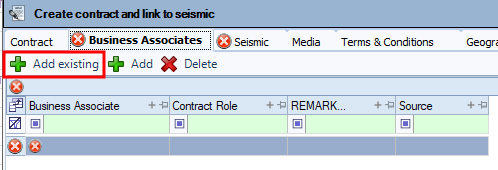
Click Add Existing. An empty row appears in the grid.
-
In the Business Associate column, select the business associate from the drop-down.
-
From the drop-select the Contract Role.
-
Fill in any other information as needed.
-
-
Add a NEW Business Associate
To assign a new Business Associate in the Create contract and link to seismic window:
-
Click the Business Associates tab.
-
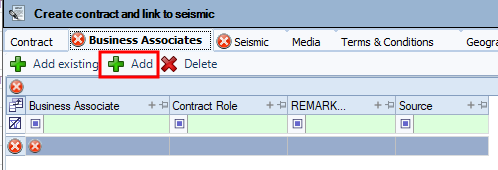
Click Add.
-
In the Create Business Associate window, fill in the fields then click Save.
-
Once you have added a Business Associate, continue on to another tab in the Create contract and link to seismic window.
During the process of Adding a contract, you can assign a business associate to the contract.
To assign a business associate from the Create contract and link to seismic window:
-
Click the Business Associates tab.
-
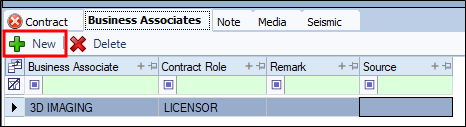
Click New.
-
In the Business Associate column, select the business associate from the drop-down.
-
From the drop-select the Contract Role.
-
Enter a Remark and Source.
-
Continue to another tab.