Select Version of EA Desktop:
If you have the correct permissions, you can upload a contract file to a selected Contract.
To update the File location of a contract:
-
Select a contract in the Contract Properties grid.
-
You can use one of the following methods to update the file location:
-
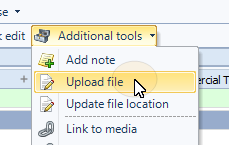
From the Toolbar, select Additional Tools>Upload File.
-
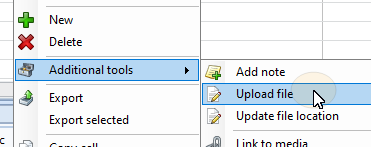
Right-click on a contract to open the context menu and select Additional Tools>Upload File
-
-
In the file explorer dialogue navigate and select the file to upload..
-
Click Open