Select Version of EA Desktop:
Exploration Archives provides a variety of features and processes for managing your data assets.
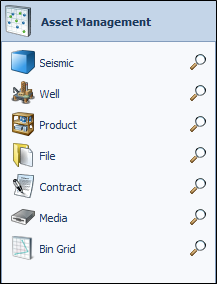
Depending on your role, you may use one or all of the modules when managing your assets. Your administrator sets your access to modules that are relevant to you.
The Asset Management modules include:
- Seismic : Add seismic surveys, associated metadata, geometry and Related Records
- Well: Manage well information
- Product:
- File : Add seismic survey files
- Contract: Manage contract-related files
- Media : Add seismic survey media
- Bin Grid: Create, edit and manage bin grids
Each module has a context menu with base and module-specific actions. To access the context menu, right-click on an item in the grid. The base actions available across all modules include export, copy and paste, and data display (show by) actions. For detail regarding the module-specific actions, refer to the particular support material for each module.
Exploration Archives provides a variety of features and processes for managing your data assets.
Depending on your role, you may use one or all of the modules when managing your assets. Your administrator sets your access to modules that are relevant to you.
The Asset Management modules include:
- Seismic : Add seismic surveys, associated metadata, geometry and Related Records
- Well: Manage well information
- Product:
- File : Add seismic survey files
- Contract: Manage contract-related files
- Media : Add seismic survey media
- Bin Grid: Create, edit and manage bin grids
Each module has a context menu with base and module-specific actions. To access the context menu, right-click on an item in the grid. The base actions available across all modules include export, copy and paste, and data display (show by) actions. For detail regarding the module-specific actions, refer to the particular support material for each module.