Select Version of EA Desktop:
Data requests in Submitted status are available to review for approval.
To locate a Submitted data request:
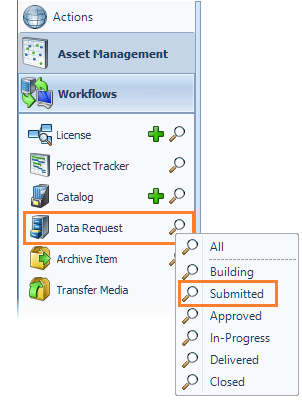
Click search next to Data Request and select Submitted.
The results open in the Search module. Double-click on a data request in the grid to open. The data request opens in the workspace.
Review the details of the order to ensure they are correct. If the request is accurate and acceptable, click Advance to APPROVED.
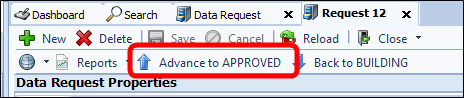
If the request is not acceptable, click Back to BUILDING.
Data requests in Submitted status are available to review for approval.
To locate a Submitted data request:
Click search next to Data Request and select Submitted.
The results open in the Search module. Double-click on a data request in the grid to open. The data request opens in the workspace.
Review the details of the order to ensure they are correct. If the request is accurate and acceptable, click Advance to APPROVED.
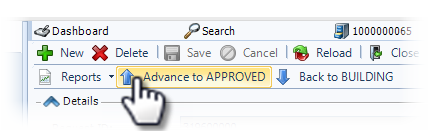
If the request is not acceptable, click Back to BUILDING.