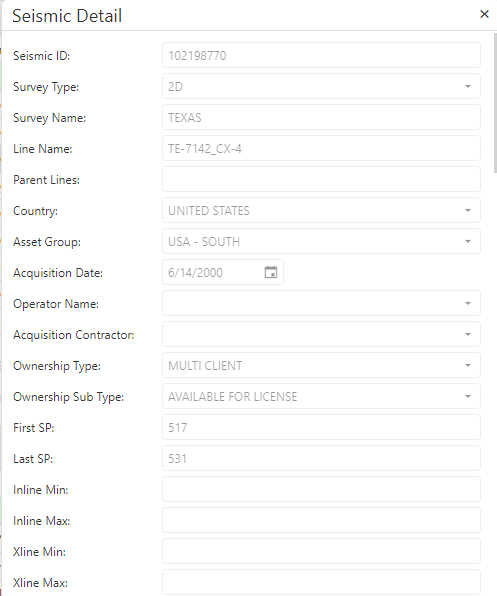
Select Browser Version:
The Search results grid includes seismic information for items added to the grid from the map. The grid displays information such as Seismic ID, Seismic Type and Line Name.
Additional information is available using the context menu.
To view additional detail:
-
Select a seismic in the grid to select the row.
-
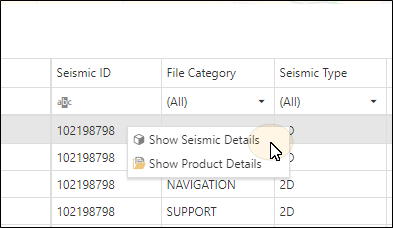
Right-click on the grid to open the action menu.
-
Select Show seismic details.
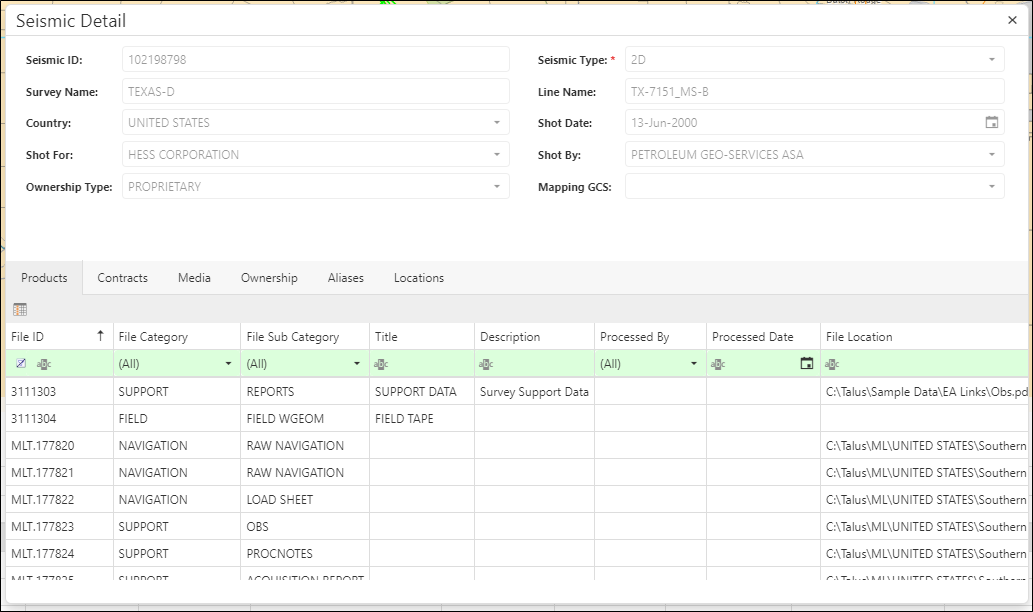
The Seismic Details window opens and displays the available information for the selected seismic.
-
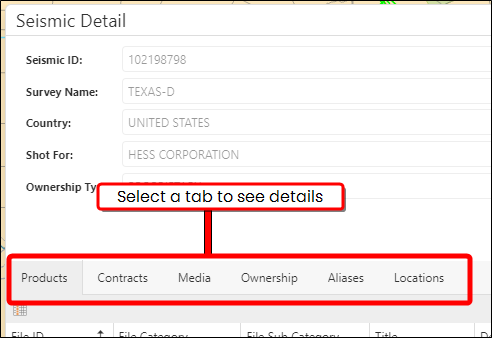
The Seismic window contains tabs that let you look at the different details associated to the record, like Contracts, Media, and Ownership.
The Seismic tab in the Grid Panel includes seismic information for items added to the grid from the map. The grid displays information such as Seismic ID, Seismic Name and Survey Name.
Additional information is available using the context menu.
To view additional detail:
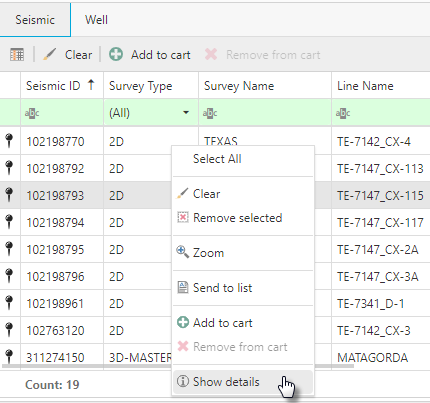
-
Select a seismic in the grid to select the row.
-
Right-click on the grid to open the action menu.
-
Select Show Details.
The Seismic Details window opens and displays the available information for the selected seismic.
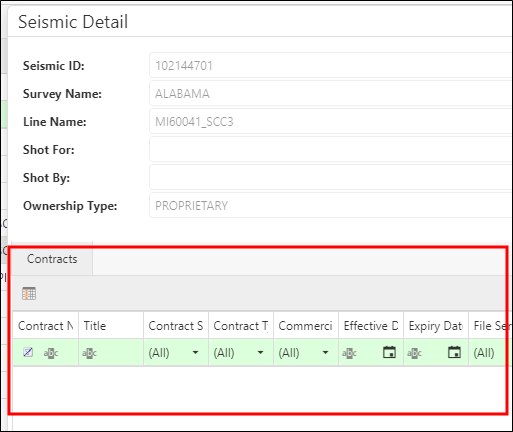
The Seismic tab in the Grid Panel includes seismic information for items added to the grid from the map. The grid displays information such as Seismic ID, Seismic Name and Survey Name.
Additional information is available using the context menu.
To view additional detail:
-
Select a seismic in the grid to select the row.
-
Right-click on the grid to open the action menu.
-
Select Show Details.
The Seismic Details window opens and displays the available information for the selected seismic.