Select Version of EA Desktop:
You can import Parent-Child links for a file from a Microsoft® Excel® file.
To Import Parent-Child links:
-
Use one of the following methods to select file(s) in the File Properties grid in the Files Module:
- Click to select a single row.
- To select multiple consecutive rows, click and drag in the leader column in the grid.
-
To select multiple individual rows, press Ctrl while clicking to select.
-
Right-click on a selected row to open the context menu.
-
Select Additional Tools>Import parent-child links.
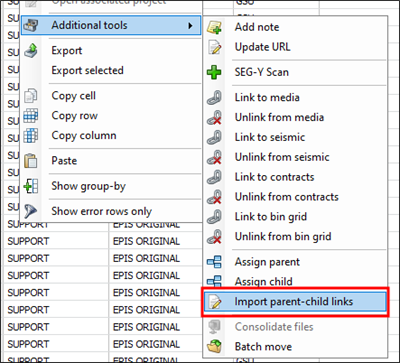
-
You will be asked to navigate to the location of the Excel file of parent-child links to import.
-
Click Open.
Note:The spreadsheet will be expected to have the two columns for the master and child column names.
-
Each link is validated for data integrity. If any link fails validation, the file will not be imported.
Once imported, the links can be viewed from the Parent or Child Files tabs in the Related Records panel.