Select Version of EA Desktop:
One of the search options available for the Seismic module is Find Seismic By List. This search function will open the Seismic module and populate the grid with records from a predefined list you select.
If the Seismic module is already open, the items from the list will added to the Seismic Properties grid.
To search seismic by list:
-
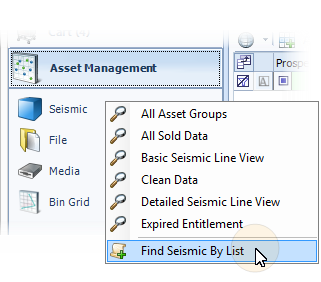
Click Search next to Seismic in the Navigation panel and select Find Seismic By List.
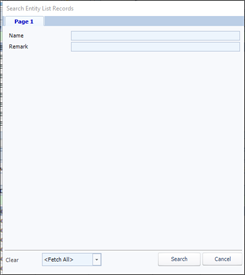
The Search Entity List Records window opens.
-
Enter your search criteria then click Search.
Tip:If you leave all the search criteria empty then click Search All lists will display.
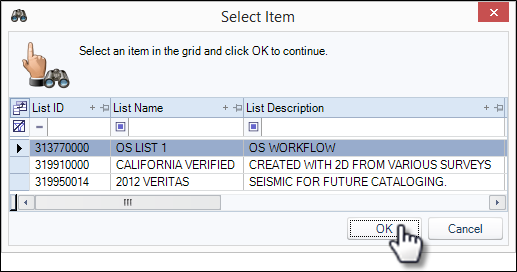
The search results appear in a new window.
-
Select your target list then click OK.