Performing QC for boxes
Select MobileMedia Version:
To perform quality control (QC) for boxed inventory:
-
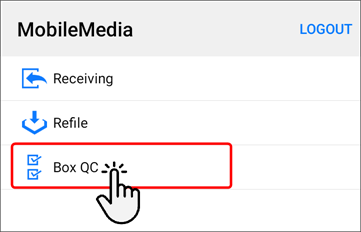
Open the Receiving module.

-
Tap Box QC.
-
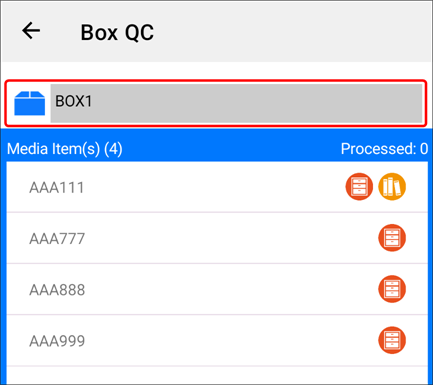
Scan the barcode on the box and the Box field populates with the expected media items listed.
-
To confirm you have all the expected media items, scan the barcode for each media item listed and place them back in the box one at a time. MobileMedia removes the items from your box list as you scan.
-
When you have completed scanning all items for the box, a Box QC successfully completed message displays briefly on the screen.
To perform quality control (QC) for boxed inventory:
-
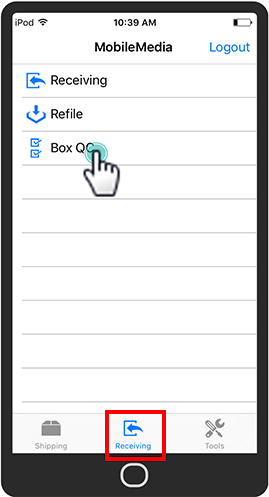
Open the Receiving module.
-
Tap Box QC.
-
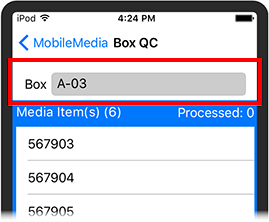
Scan the barcode on the box and the Box field populates with the expected media items listed.
-
To confirm you have all the expected media items, scan the barcode for each media item listed and place them back in the box one at a time. MobileMedia removes the items from your box list as you scan.
-
When you have completed scanning all items for the box, a Box QC successfully completed message displays briefly on the screen.