Select Browser Version:
The Cart provides the option to remove products before submitting an order.
To remove an item from the cart:
-
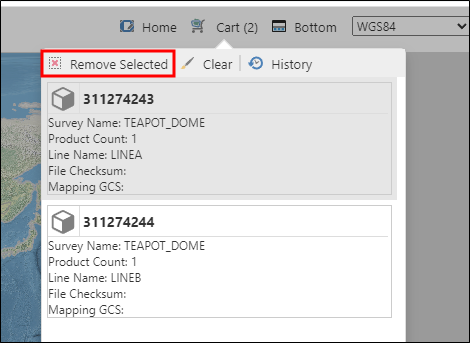
Open the cart in the upper right corner, here you will see all the items.
-
Select the item to highlight it.
-
Select Remove Selected from the menu.
-
A confirmation dialogue appears. Select Yes.
To clear all items from the cart:
-
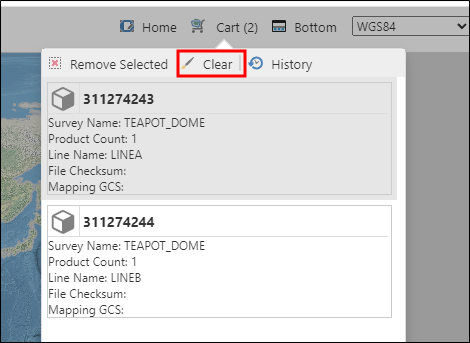
Open the cart.
-
From the menu, select Clear.
-
A confirmation dialogue appears. Select Yes.
The Cart provides the option to remove products before submitting an order.
The upper grid lists the seismic while the lower grid lists the associated products.
To remove all products associated to a particular seismic item remove the seismic item from the upper grid. This will simultaneously remove the products from the lower grid.
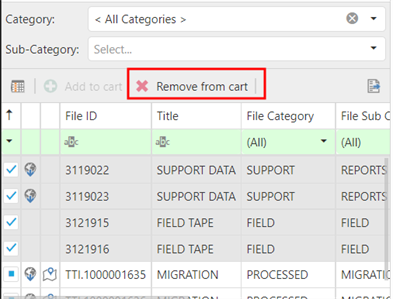
Select the item in the upper grid and click Remove from cart.
To remove individual products, select the products in the lower grid and click Remove from cart.