Select Browser Version:
You can add items in the search results grid to the cart for a data request.
To add products to the Cart:
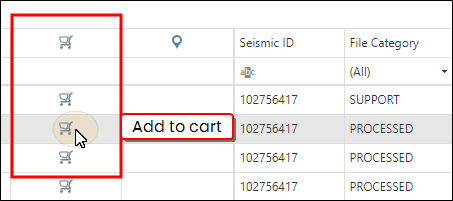
- Highlight an item on the grid.
-
Select the icon in the Add to cart column for the item.
 Note:
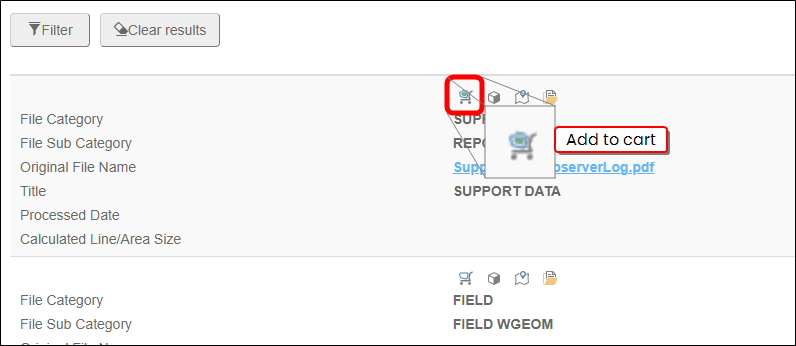
Note:The Add to cart icon appears in a different location when using the default grid view.
-
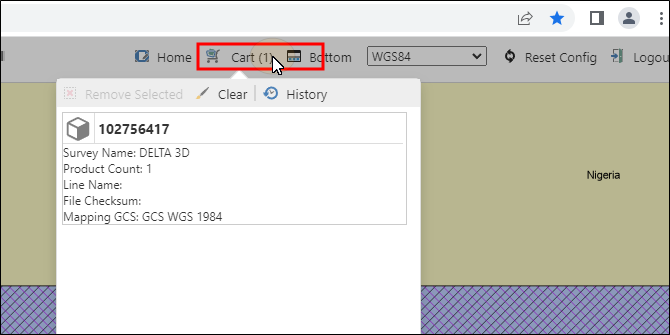
The item will appear in the Cart.
You can view the Data Request Detail for any item in the cart.
-
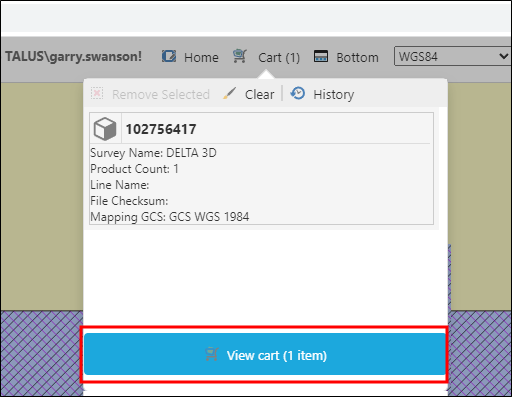
Highlight an item, then select View Cart
-
The Data Request Detail window opens.
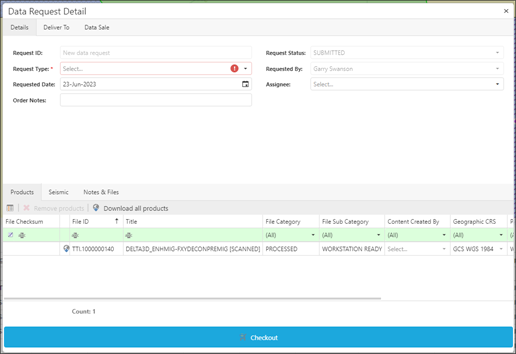
-
When you are satisfied with the details of the Data Request, select Checkout. A confirmation dialogue will appear. Select Yes.
The lower grid in the Seismic tab displays the products associated to the seismic you select in the upper grid. You can add the products listed in the lower grid to the Cart tab for managing the items and submitting the order.
To add products to Cart:
- In the lower grid of the Seismic tab, select the products to add to the Cart.
- To add an individual product, select the product in the grid.
- To add multiple products, press Ctrl and click to select multiple.
- To add all products, click Select All.
-
Click Add to cart.
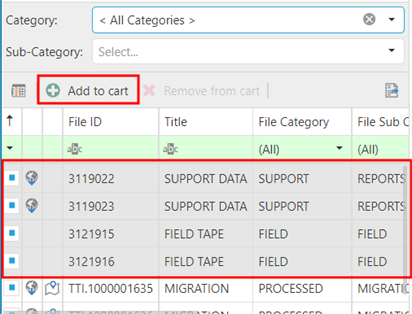
The products add to the Cart tab.