Select Version of EA Desktop:
To compile a group of seismic items that you can use in the future, create a new seismic list.
From the navigation panel expand the Management category. Click New next to Lists.
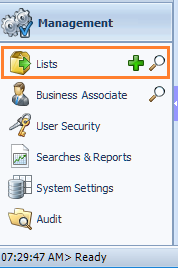
The Lists module opens for you to begin creating a list.
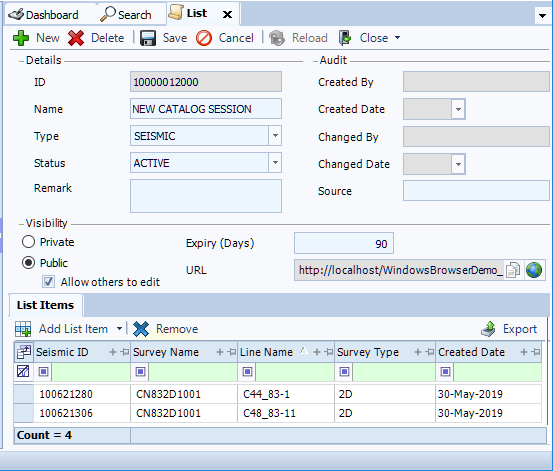
-
Select the Type of list.
-
Enter the detail for each field, including:
- Name: Enter a relevant name or number.
- Remark: Enter a description with useful information about the list.
-
In the Visibility section:
- Set to Public and Allow others to edit.
- For Expiry (Days), enter the number of days to maintain the list. On expiry, the list will delete. To prevent deletion, set the Expiry to zero.
-
In the lower panel, click Add List Item to search for items to add. To select a particular search type, click the down arrow next to Add List Item and click a search. The search window opens.
-
Enter your search criteria and click Search. The window closes and the selected items display in the List Items grid.
-
When complete, click Save then Close.
After creating a Seismic List, you can access the list from the Seismic module, Catalog module and Exploration Archives Browser. Accessing other list types outside of the Lists module is not currently available.