Select Version of EA Desktop:
To export a SEG-Y file as a shapefile (SHP), follow these steps and requirements:
Prerequisites:
-
The SEG-Y file must be scanned and have valid navigation data (geometry).
-
The file must have a valid PCS (Projected Coordinate System) value. The export option will only be enabled if these conditions are met. If not, the option will be disabled or an error will occur.
To Export SEG-Y as a Shapefile in Catalog:
-
Open the Contracts module, then open the contract in Edit mode
-
Scan the file using the SEG-Y Scan tool (right-click > SEG-Y Scan, select templates, and scan).
-
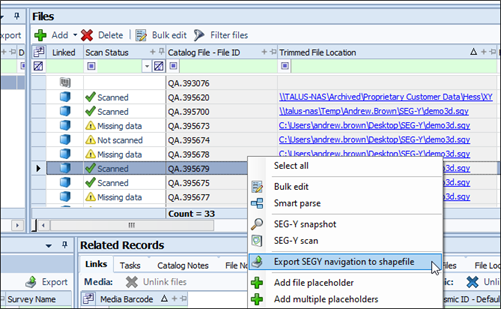
Once scanned and navigation is present, right-click the file in the main grid.
-
Select Export to Shape File from the context menu.
-
Choose the export location and filename. The exported file will have a naming convention like: CustomName_Wkid_Type.shp (e.g., SeismicGeometry_28232_2D.shp).
-
You can export IDs from the File panel to a shape file.