Select MobileMedia Version:
After pulling media items, transport the items to the staging area and use MobileMedia to register the new location. At the new location, scan the location barcode, the new box location and each item you place into the box.
To register the new location:
-
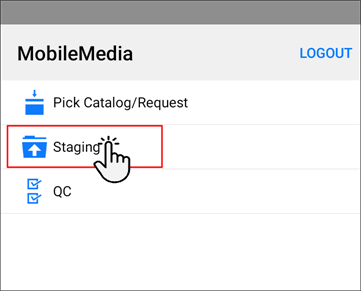
Open the Shipping module.
-
Tap Staging.
-
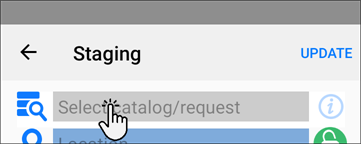
In the new screen, tap Select catalog/request.
-
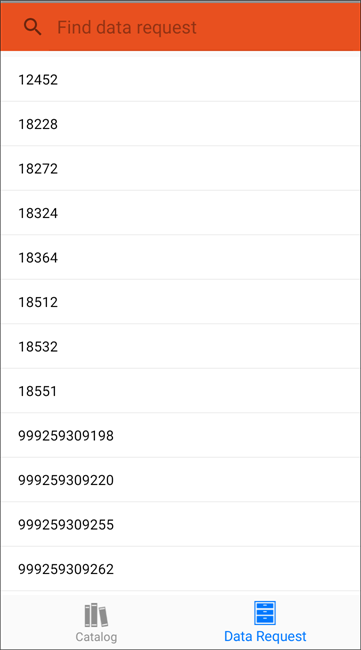
At the bottom of the screen, tap Catalog or Data Request and select the target order or request.
-
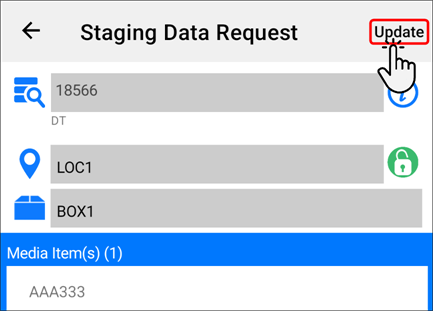
Scan the location barcode and the new box barcode.
-
Scan the barcode of each media item as you place them in the box one at a time.
-
Verify that your items are correct and tap Update.
-
The status of the items update in Exploration Archives with a status of Ready.
After pulling media items, transport the items to the staging area and use MobileMedia to register the new location. At the new location, scan the location barcode, the new box location and each item you place into the box.
To register the new location:
-
Open the Shipping module.
-
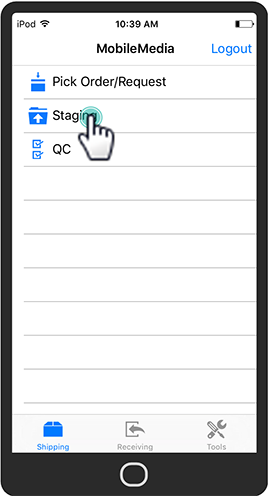
Tap Staging.
-
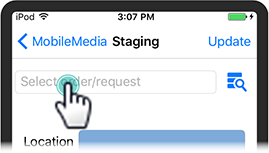
In the new screen, tap Select order/request.
-
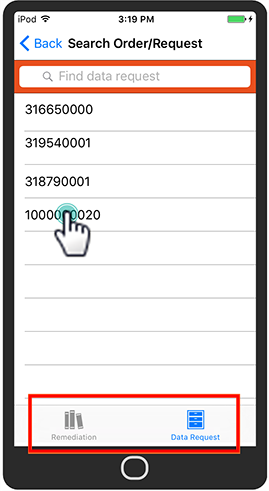
At the bottom of the screen, tap Remediation or Data Request and select the target order or request.
-
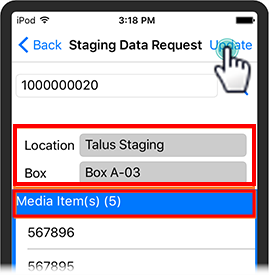
Scan the location barcode and the new box barcode.
-
Scan the barcode of each media item as you place them in the box one at a time.
-
Verify that your items are correct and tap Update.
-
The status of the items update in Exploration Archives with a status of Ready.