Select MobileMedia Version:
To re-barcode a media item:
-
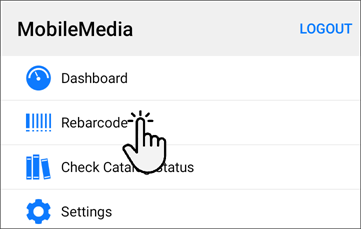
Open the Tools module.

-
Tap Re-Barcode.
-
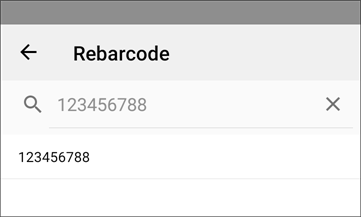
In the field provided, type or scan the existing media barcode. The barcode displays on the screen.
-
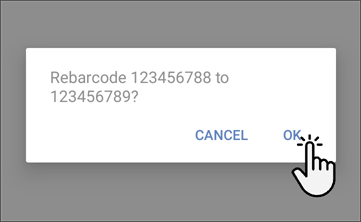
Scan the new barcode and a confirmation message displays.
-
If the barcode numbers are correct in the confirmation message, tap Ok.
To re-barcode a media item:
-
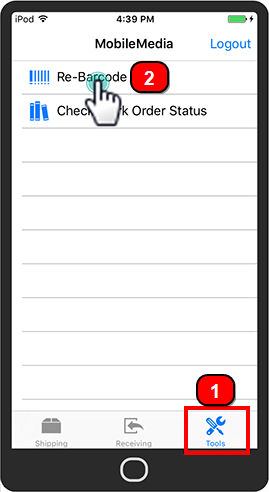
Open the Tools module.
-
Tap Re-Barcode.
-
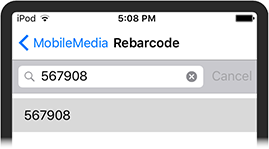
In the field provided, type or scan the existing media barcode. The barcode displays on the screen.
-
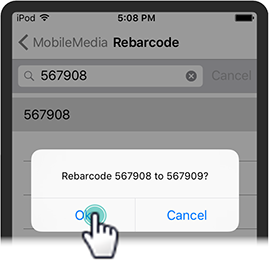
Scan the new barcode and a confirmation message displays.
-
If the barcode numbers are correct in the confirmation message, tap Ok.