Select MobileMedia Version:
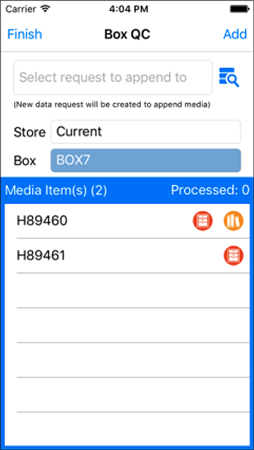
This tool allows you to scan a box to load media and also scan in each media to make sure it is valid and put it on an existing or new data request.

Media is loaded from the scanned box. The scanned box can be queried against the current or permanent store box numbers depending on the selected Store drop-down.

|
The yellow catalog icon indicates the media is on a catalog. |

|
The orange data request icon indicates the media is on a data request. |
If any of the media in the box is on an open data request or catalog, then a pop-up will display indicating the number of media affected. These items cannot be added to a data request.
This tool allows you to scan a box to load media and also scan in each media to make sure it is valid and put it on an existing or new data request.
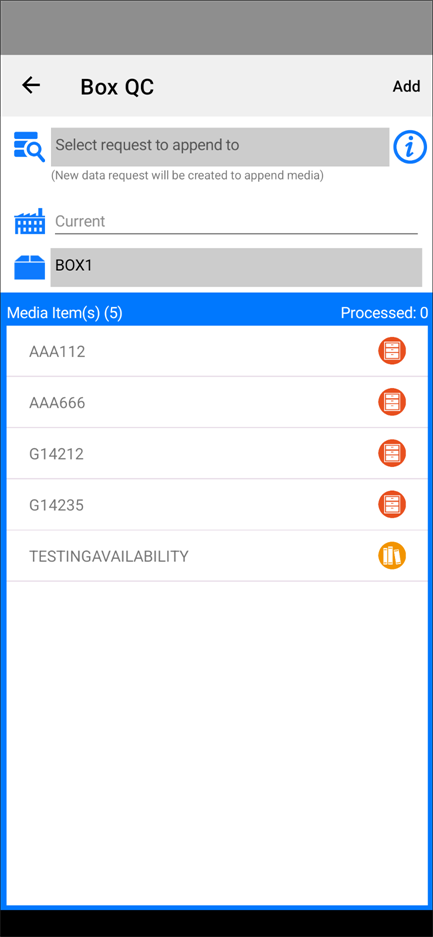
Media is loaded from the scanned box. The scanned box can be queried against the current or permanent store box numbers depending on the selected Store drop-down.
|
|
The yellow catalog icon indicates the media is on a catalog. |
|
|
The orange data request icon indicates the media is on a data request. |
If any of the media in the box is on an open data request or catalog, then a pop-up will display indicating the number of media affected. These items cannot be added to a data request.