Select MobileMedia Version:
To check the status of a work order:
-
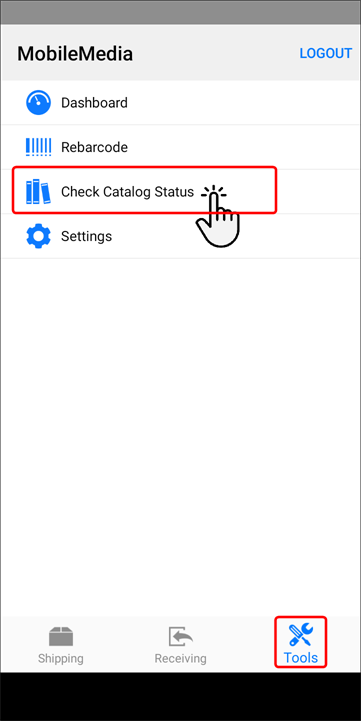
Open the Tools module.
-
Tap Check Work Order Status.
-
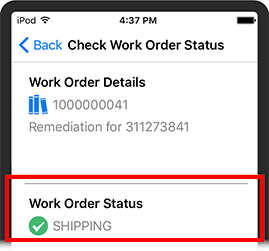
When the new screen opens, scan the work order ID. The status displays in the lower area of the screen.
To check the status of a work order:
-
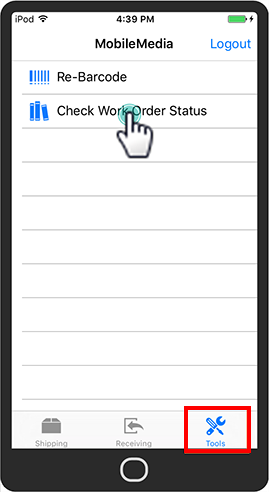
Open the Tools module.
-
Tap Check Work Order Status.
-
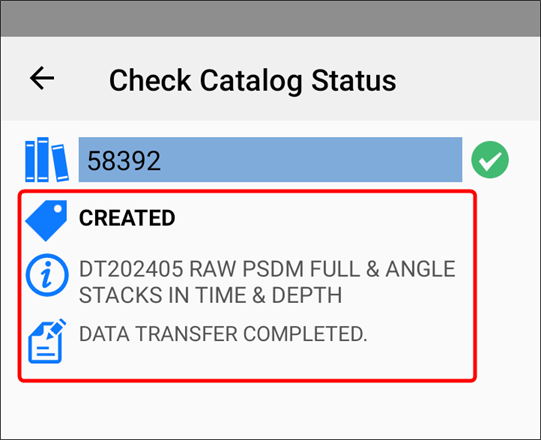
When the new screen opens, scan the work order ID. The status displays in the lower area of the screen.