Select Version of EA Desktop:
The contract tab allows you to see all contracts that are connected to a seismic record.
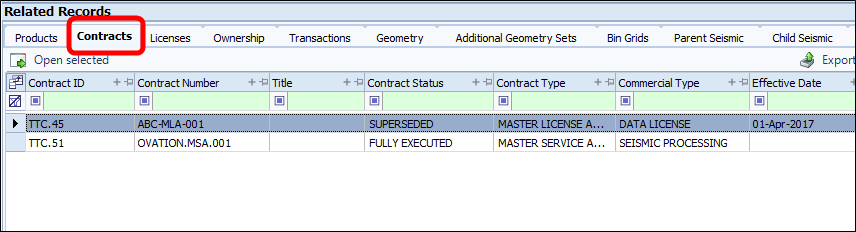
The tab is broken into 2 sections:
-
The left section contains the grid showing contract details.
-
The right panel has 2 additional tabs, Business Associates and Geographic Locations.
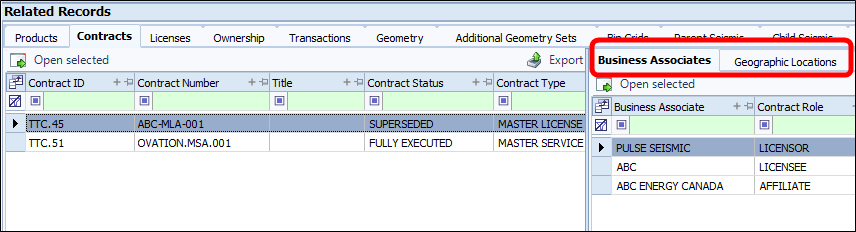
To view contract information for a single seismic record:
-
Highlight the seismic record in the grid.
-
Click the Contracts tab in the related records panel. All contracts will be listed in the grid.
-
You can highlight a contract in the grid then open it in the Contract module by clicking Open selected.
The same feature will work in the Business Associates and Geographic locations tabs.
To view details for multiple seismic records:
-
Highlight the seismic records in the Seismic grid.
-
Select Bulk Mode on the tool bar.
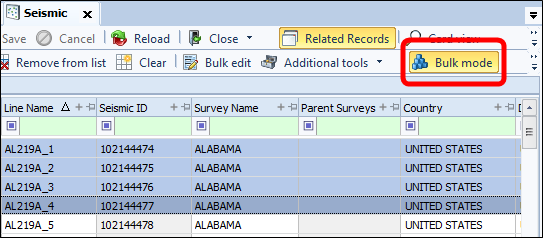
When Bulk Mode is turned on, the Contract tab will be denoted with an icon in the tab.
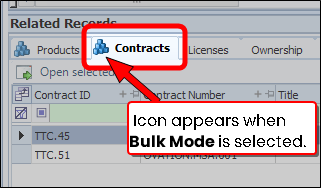
The contract tab allows you to view all contracts that are connected to a seismic record.
The tab is broken into 2 sections:
-
The left section contains the grid showing contract details.
-
The right panel has 2 additional tabs, Business Associates and Geographic Locations.
To view contract information for a seismic record:
Highlight the seismic record in the grid.
Click the Contracts tab in the related records panel. All contracts will be listed in the grid.
You can highlight a contract in the grid then open it in the Contract module by clicking Open selected.
The same feature will work in the Business Associates and Geographic locations tabs.