Select Version of EA Desktop:
The Audit tab provides the history of the seismic metadata.
To view the audit details of a particular seismic record:
-
Select the record in the Seismic Properties grid.
-
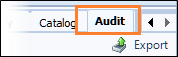
On the Related Records panel click the Audit tab. The audit grid displays the detailed information associated to the selected seismic.
-
Click Export.
-
The information in the grid will be compiled into an Excel® file.
-
When the Save panel appears, navigate to where you want to save the file.
-
Click Save.
-
A confirmation dialog appears .
-
Click OK.
-
After a few seconds the file will open in Excel.
The Audit tab provides the history of the seismic metadata.
To view the audit details of a particular seismic record:
-
Select the record in the Seismic Properties grid.
-
On the Related Records panel click the Audit tab. The audit grid displays the detailed information associated to the selected seismic.
-
Click Export.
-
The information in the grid will be compiled into an Excel® file.
-
When the Save panel appears, navigate to where you want to save the file.
-
Click Save.
-
A confirmation dialog appears .
-
Click OK.
-
After a few seconds the file will open in Excel.