Select Version of EA Desktop:
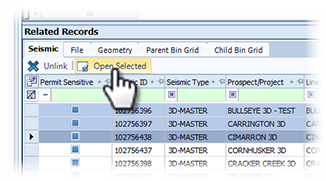
Any seismic and file records associated to a bin grid display in the Related Records tabs.
To view the extended detail of the files, open the record in the corresponding module.
To open the associated records in the Seismic or File module:
-
Click to select the bin grid in the Bin Grid Properties grid.
-
Click the Seismic or File tab in the Related Records to display the records.
-
Select the items in the grid to be opened.
-
Click Open Selected and the selected records open in the corresponding module.