Select Version of EA Desktop:
In the Seismic module, the associated products display in the Product tab of the Related Records panel.
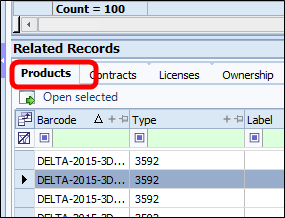
You can filter the view in the Products tab by adjusting the Media View in the related records toolbar in the right corner. This will allow you to select what products are displayed: Files or Media.
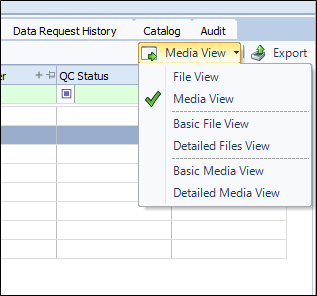
To view the detailed information for a product, you can open the product(s) in the File or Media module.
To open a record in the File or Media module:
-
Click on the record in the Product tab of Related Records.
To select more than one item, hold down Shift or Ctrl and click on the items.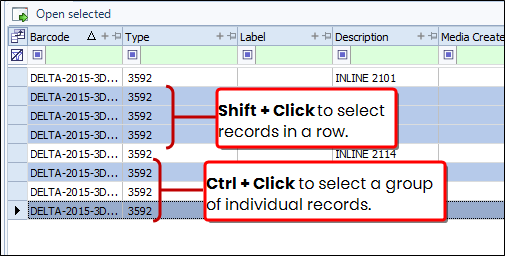
-
Click the Open selected button above the grid.
Alternatively, right-click on the selected row(s) to open the context menu and select Open selected.
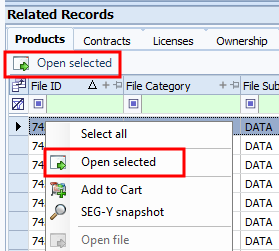
The selected item(s) open in the specific module.
In the Seismic module, the associated products display in the Product tab of the Related Records panel. To view the detailed information for a product, you can open the product in the File or Media module.
To open a record in the File or Media module:
-
Click on the record in the Product tab of Related Records.
To select more than one item, turn on Bulk mode and select multiple records. -
Click the Open selected button above the grid.
Alternatively, right-click on the selected row(s) to open the context menu and select Open selected.
The selected item(s) open in the specific module.