Select MobileMedia Version:
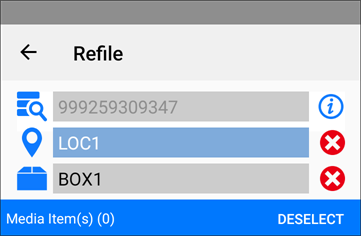
- With the Refile module open, scan the barcode of the media item you are refiling. The original location displays in the Location and Box fields for you to locate. The red x
 indicates that the location and box are ready for scanning.
 -
updates to a green check
 .
. - On completion, tap OK.