Select Version of EA Desktop:
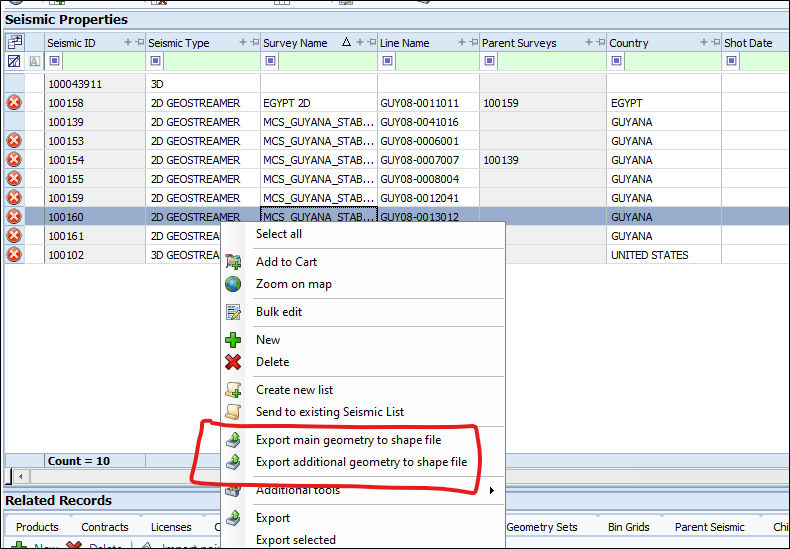
You can export IDs from the Seismic Properties grid to a shape file.
To export a shape file from the Seismic Properties panel:
-
Select one ID or multiple IDs on the grid.
Note:If there are multiple Seismic IDs selected, each ID with the same PCS will be written into one file, and IDs with different PCS values will be written into their own file.
-
From the context menu select Export main geometry to shape file.
To export a shape file from the Related Records panel:
-
Highlight a record in the Products>File View child grid.
Note:The file ID must have valid SEGY navigation instead of geometry
-
Right-click and select Export SEG-Y navigation to shape file from the context menu.