Select Version of EA Desktop:
The Cart is a working space for you to collect items to add to a Data Request.
To review the items in your cart, click Cart at the top of the navigation panel.
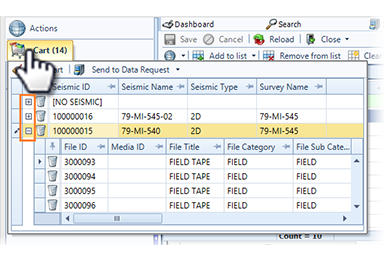
The Cart window displays items in a grid that has expanding rows.
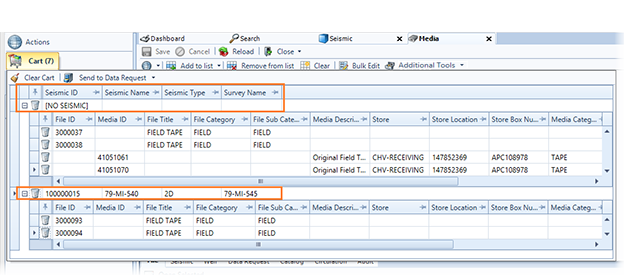
The initial view displays the seismic detail in the rows. If your Cart has files and media that is not linked to seismic, the initial row displays [NO SEISMIC].
-
Click the expand button to display the file and media information for you to review.
-
To remove individual items from your Cart, click trash in the row.
-
To remove all items from your Cart, click Clear Cart