Select Version of EA Desktop:
The items in the Cart are available for adding to a data request.
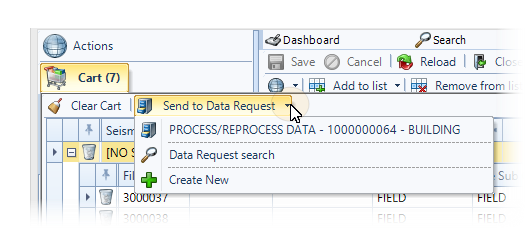
To send, or transfer items to a data request, click the down arrow on the Send to Data Request button.
The items appearing in the menu include:
-
Data requests that are currently open display as a list at the top of the menu.
Click on an Open Data Request to send items to a request that is currently open in the workspace.
-
Click Data Request search to open a search to locate a data request and send the items to a specified request.
-
Click Create New to create a new data request with the items in your Cart. Selecting Create New opens a new data request in the Building status.
After clicking to select the destination for your cart items, the items automatically transfer to the grid in the Products tab of the data request.