Select Version of EA Desktop:
The Cart is a temporary working space for you to collect items to add to a data request.
You can add seismic, files or media to the Cart from a search window or from the Seismic, File or Media modules.
After adding items to your Cart, you can add them to an existing data request or use the collection to start a new data request.
The Cart appears at the top of the navigation panel and remains accessible while you navigate to different areas of the software.
If you add items from the Related Records of a module, the parent items of the selected record will add to the cart as well. However, when adding items from the main grid of a module, only the selected items from the main grid add to the cart.
To add items to the Cart:
-
Click to select items from a grid in the Seismic, File or Media module, or from a search results grid.
-
Right-click to open the context menu and select Add to Cart.
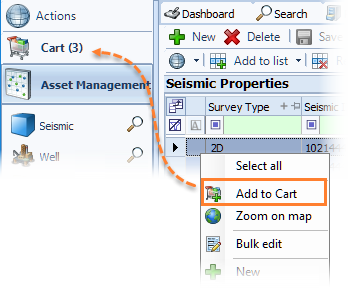
The items that are products will add to your cart.
Note:The Cart doesn’t appear until you add at least one item.