Select Version of EA Desktop:
The metadata for a file describes the data details of an item. Exploration Archives uses metadata for cataloging and locating resources.
To update shared metadata across for file items or media, use the Bulk Edit tool.
-
In the leader column of the Files or Media grid, click and drag to select multiple rows.
-
In the toolbar click Bulk edit.
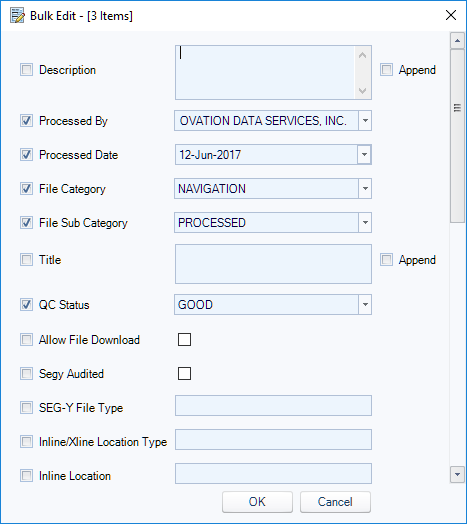
-
Enter details to edit. Scroll to view all field options.
-
Click OK. The new information displays in the Files or Media grid.
-
Click Save.