Select Version of EA Desktop:
If the values in a column require additional text for the metadata, use the Add Text function.
-
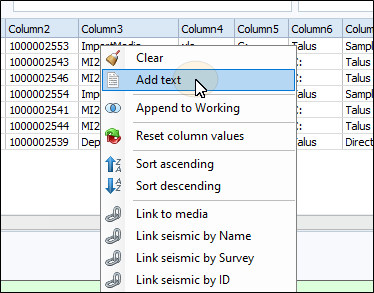
Right-click on the target column to open the context menu. Click Add Text.
-
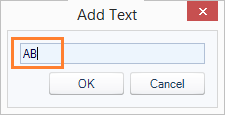
In the Add Text window, enter the text you want to add to the column text and click OK.
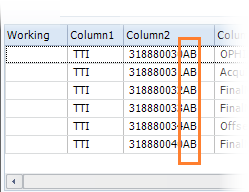
The additional text appends to the current text of all fields in the target column.
-
Click Close to commit the changes to the main grid.
If the values in a column require additional text for the metadata, use the Add Text function.
-
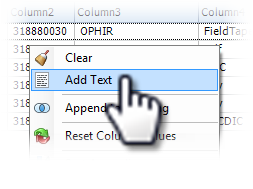
Right-click on the target column to open the context menu. Click Add Text.
-
In the Add Text window, enter the text you want to add to the column text and click OK.
The additional text appends to the current text of all fields in the target column.
-
Click Close to commit the changes to the main grid.