Select Version of EA Desktop:
To use Smart Parse for assigning metadata:
-
In the Files grid, select the rows to be parsed. Use Ctrl to select multiple rows.
-
Right-click and Smart Parse. The Smart Parse window opens with segments of the file path divided into columns.
-
Right-click on the column with the target metadata to be assigned.
-
Select the option to apply:
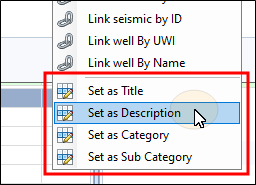
- Set as Title
- Set as Description
- Set as Category
- Set as Sub Category
-
Click Close to commit the changes to the main grid.