Select Version of EA Desktop:
The information generated in the columns of the Smart Parse grid can be manipulated to produce useful metadata.
The Working column is for manually entering text as metadata, combining values from other columns and assigning the custom text as metadata.
To manually add text:
-
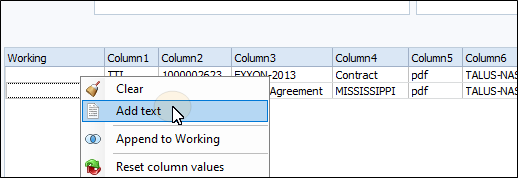
Right-click on the Working column then select Add Text from the context menu.
-
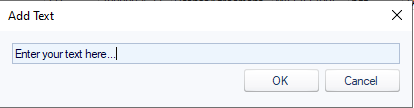
Enter the text
-
Click OK.
If the required metadata is segregated across multiple columns, combine the text into the Working column using the Append to Working function.
To use Append to Working:
-
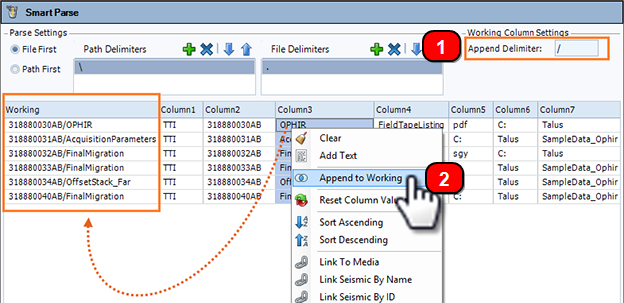
Using a delimiter will add a dividing character between the information added to the Working column. To add a delimiter, enter a delimiter character in the Append Delimiter field.
-
To add data from the grid to the Working column, right-click on the column with the text and select Append to Working. The values will populate in the Working column. Add as many column values as required. If you specified a delimiter, each value added will be separated by the specified character.
When the text in the Working column represents sufficient metadata, assign the value. See Assign parsed metadata.