Select Version of EA Desktop:
During the process of Adding a contract, you can add a note with the contract.
To add a note from the Create contract and link to seismic window:
-
Click the Notes tab.
-
Click New. A new row adds to the grid for you to enter details.
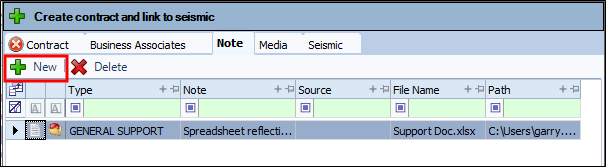
-
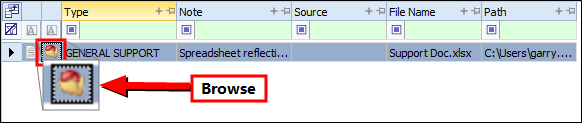
To attach a file as a note, click Browse and navigate to the file on your device.
-
Select the file and click Open. The File Name and Path generates in the grid.
-
Select the Type.
-
Double-click the field in the Note column to manually enter a description.
-
Continue to another tab.