Select Version of EA Desktop:
You can add an alias to well record.
To add an Alias:
-
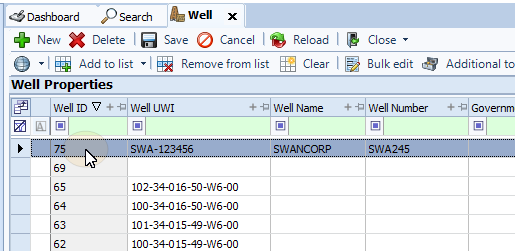
In the Well Properties panel select a well.
-
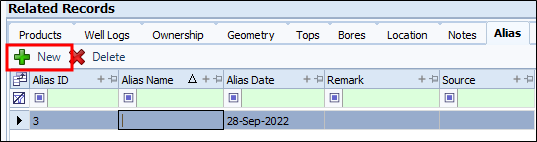
On the Related Records panel, select the Alias tab to make it active.

-
From the toolbar, click New. A blank row will appear in the grid.
 Note:
Note:An Alias ID will be assigned to the row automatically.
-
Double-click in the Alias Name column and enter the alias.
-
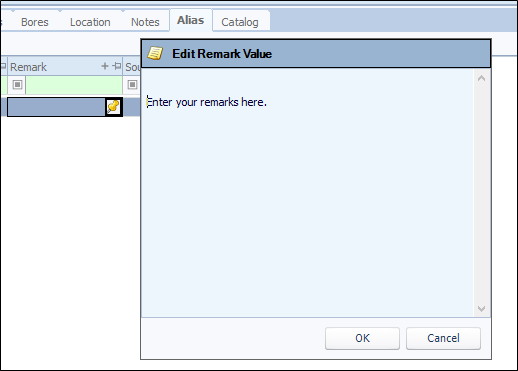
Hover over the Remark field. A pin icon appears. Click the icon and the Edit Note Value window opens.
-
When you finish entering your remarks, click OK. The field will show the first few characters in the field.
-
When finished, click Save.