Select Version of EA Desktop:
The Well module includes a Related Records panel for viewing and accessing additional information.
To open the Related Records panel, click Related Records in the menu.
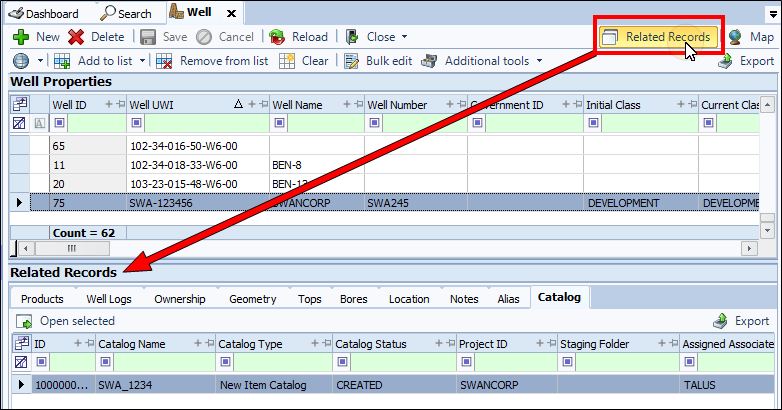
The Related Records panel opens in the lower portion of the Wells module. The associated information displays according to the seismic item that is selected as active in the grid.
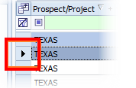
A row that is "active" in a grid displays an arrow in the leading column.
The Related Records include tabs dedicated to particular categories of metadata. Browse the areas in the tabs to view the related information.
To open an item displayed in Related Records, click to select and click Open selected (if available).
The tabs in Related Records for the Well module include:
- Products
- Well Logs
- Ownership
- Geometry
- Tops
- Bores
- Location
- Notes
- Alias
- Catalog
The Well module includes a Related Records panel for viewing and accessing additional information.
To open the Related Records panel, click Related Records in the menu.
The Related Records panel opens in the lower portion of the Wells module. The associated information displays according to the seismic item that is selected as active in the grid.
A row that is "active" in a grid displays an arrow in the leading column.
The Related Records include tabs dedicated to particular categories of metadata. Browse the areas in the tabs to view the related information.
To open an item displayed in Related Records, click to select and click Open selected (if available).
The tabs in Related Records for the Well module include:
- Products
- Well Logs
- Ownership
- Geometry
- Tops
- Bores
- Location
- Notes
- Alias
- Catalog